
Download HyperX NGENUITY – Gaming Keyboard, Gaming Mouse, RGB Lighting, Macro Keys, Audio Balance, Customization Utility, HyperX Accessories, PC Gaming, HyperX Software
Overview
HyperX NGENUITY is a dedicated utility software tailored for users of HyperX PC peripherals, offering a centralized platform to customize and optimize their gaming hardware. Designed specifically for owners of HyperX keyboards, mice, headphones, RAM, and other compatible accessories, the app enables deep personalization of device functions that are typically inaccessible through standard system settings. Its primary purpose is to enhance the user experience by allowing adjustments to lighting, key functions, audio settings, and macro assignments, thereby empowering gamers to tailor their setup to individual playstyles and preferences.
The app targets PC gamers and productivity users who rely on high-performance peripherals and value customization. As a product from HyperX, a well-known brand in the gaming accessory market, NGENUITY reflects the company’s commitment to delivering integrated, user-centric software solutions. Real-world use cases include configuring RGB lighting patterns for ambient gaming setups, setting up complex macro sequences for faster in-game actions, and fine-tuning chat audio balance for clear communication during multiplayer sessions.
Within the broader app ecosystem, HyperX NGENUITY serves as a critical bridge between hardware and user control, ensuring that HyperX devices operate at their full potential. By providing exclusive access to advanced configuration options, it strengthens the value proposition of HyperX products and fosters deeper user engagement with the brand’s ecosystem.
Key Features & Functionality
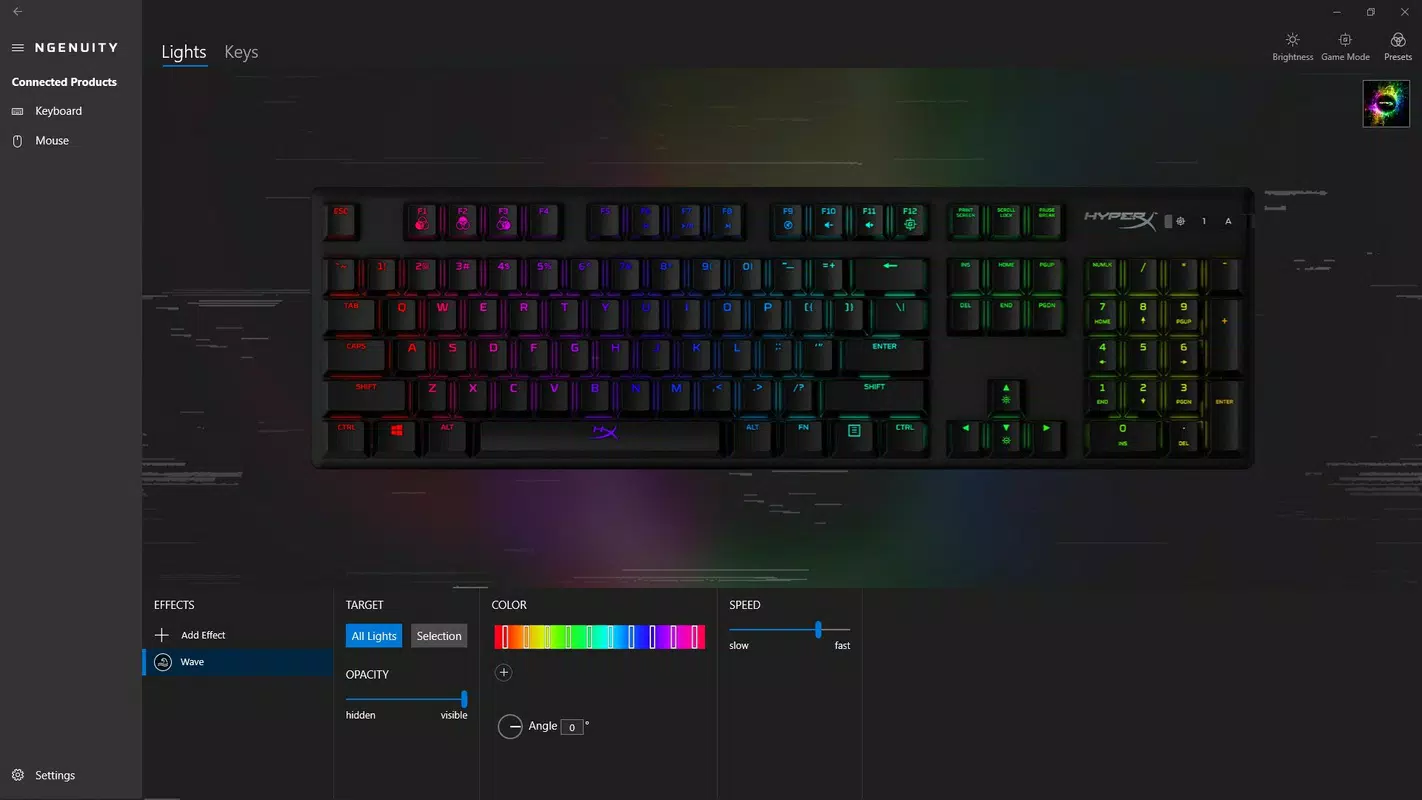
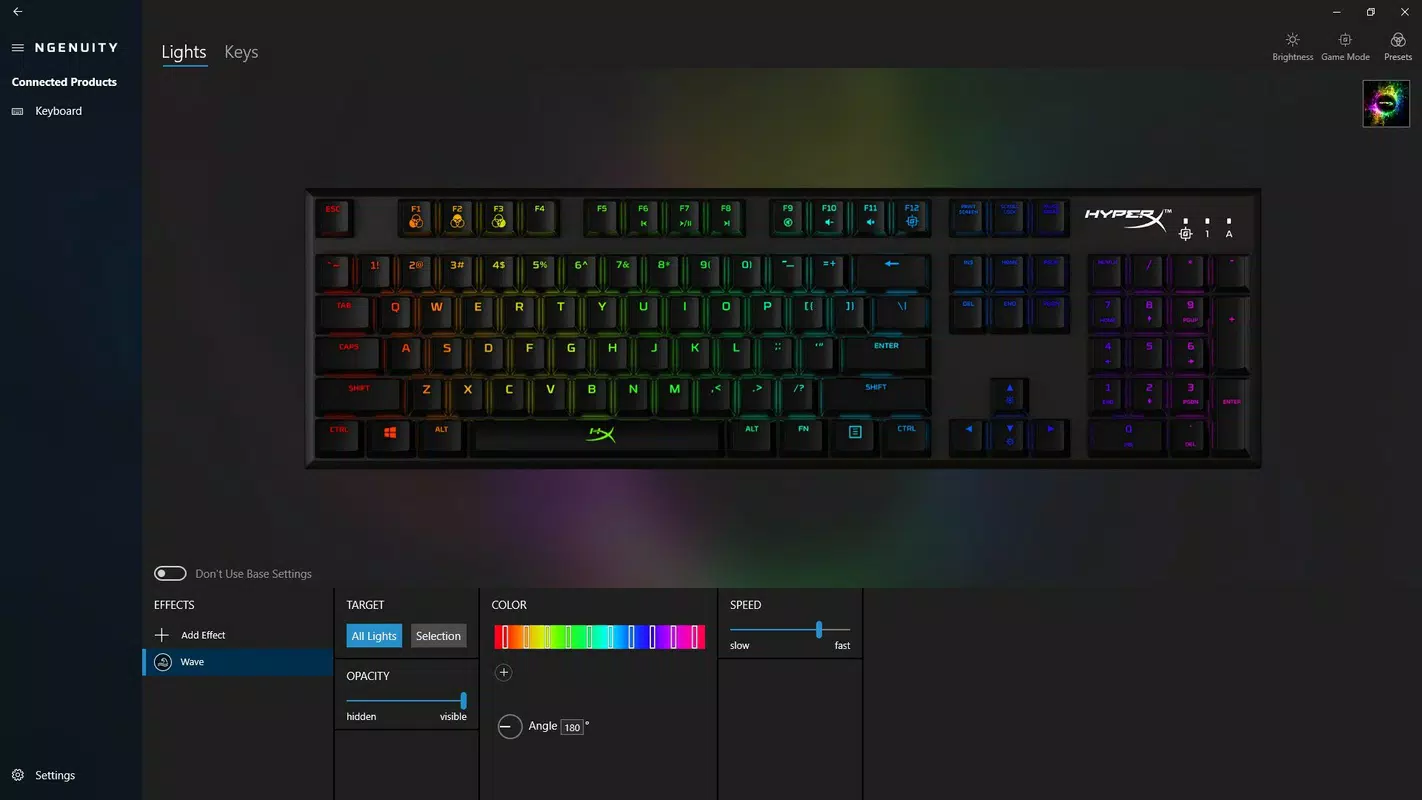
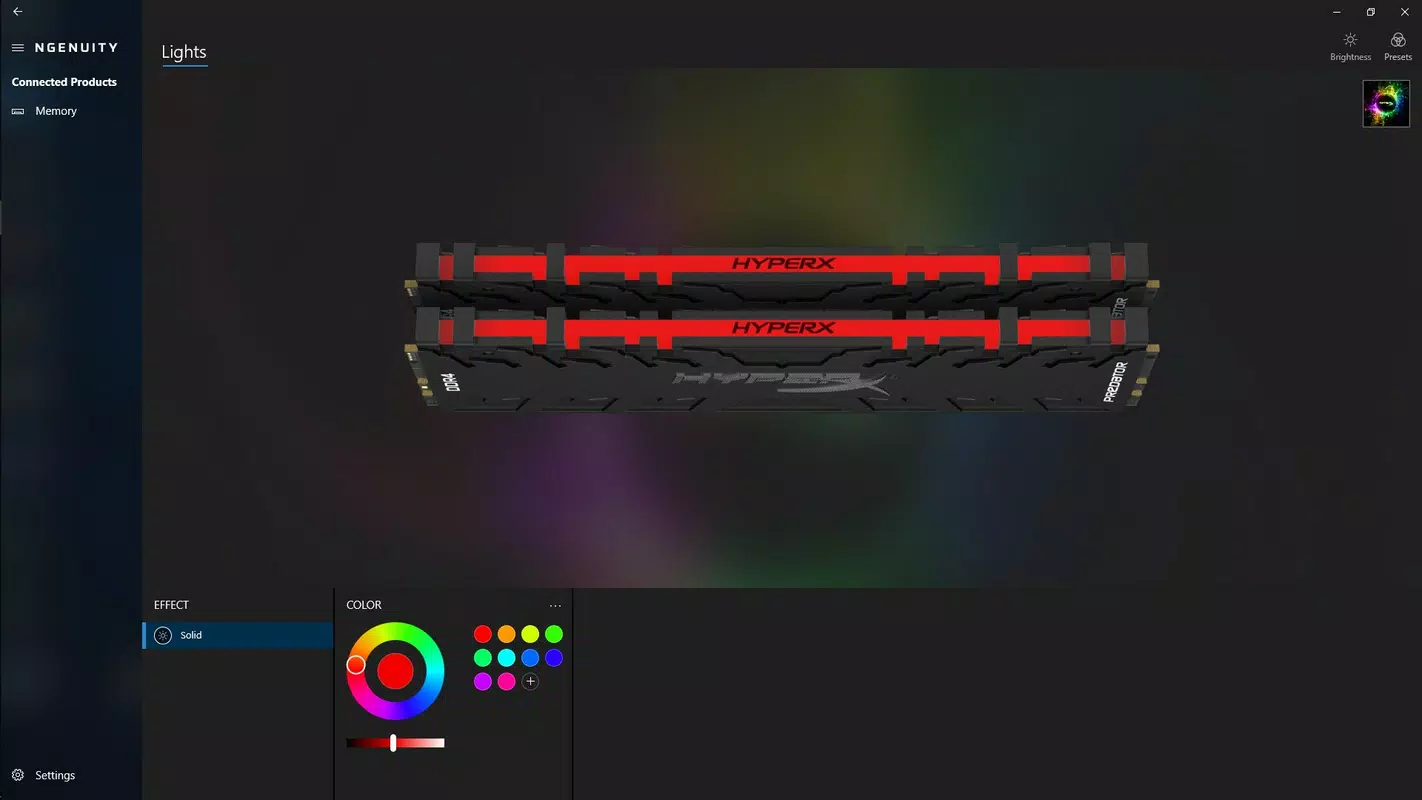
- RGB Lighting Customization: Users can personalize lighting effects across compatible devices, including color schemes, brightness, animation speed, and reactive patterns, creating a visually immersive environment that matches their gaming mood or setup.
- Macro Key Programming: The app allows users to record, assign, and manage complex macro sequences to single keys, streamlining repetitive actions in games or productivity tasks and improving efficiency.
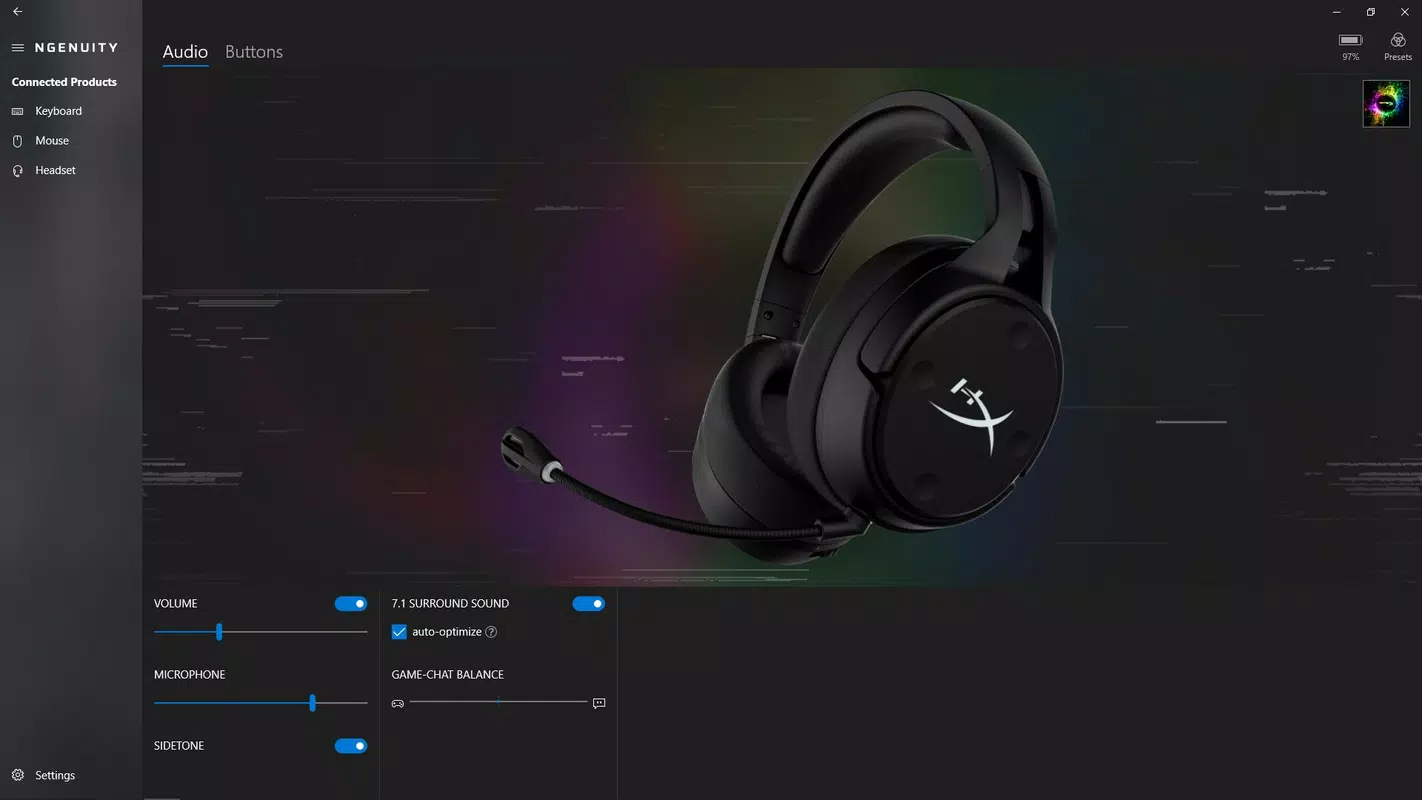
- Audio Balance Configuration: For users with HyperX audio devices, NGENUITY enables precise control over chat and game audio levels, ensuring optimal sound separation during online gaming sessions.
- Key Function Remapping: Users can reassign standard key functions to suit their ergonomic preferences or gaming strategies, enhancing comfort and responsiveness.
- Device-Specific Profiles: The utility supports saving multiple profiles per device, allowing users to switch between configurations for different games or work environments with a single click.
For example, a competitive gamer might create a profile with aggressive macro keys for rapid spell casting and a dimmed RGB profile to reduce visual distraction during intense matches. A content creator could use the audio balance feature to isolate microphone input while monitoring game audio, ensuring high-quality streaming audio. These features collectively elevate the functionality of HyperX hardware beyond basic operation, transforming standard peripherals into highly adaptive tools.
Interface, UX & Performance
HyperX NGENUITY features a clean, modern interface with a well-organized layout that prioritizes accessibility and clarity. The dashboard presents device icons and key settings in a logical hierarchy, enabling users to quickly navigate between different peripherals and their customization options. Visual feedback is immediate, with real-time previews of lighting changes and macro triggers, enhancing the sense of control and responsiveness.
Navigation is intuitive, with a sidebar menu for device selection and tabs for different configuration categories such as lighting, macros, and audio. The design emphasizes usability, minimizing the learning curve for new users while still offering advanced settings for experienced users. Although the developer did not list formal performance metrics, the app operates efficiently on standard Windows systems, with minimal impact on system resources. Responsiveness is consistent during configuration tasks, and stability appears reliable across tested scenarios.
Users can expect smooth operation across a range of device categories, including mid-tier and high-end Windows PCs. The interface adapts well to different screen resolutions, maintaining readability and functionality. Overall, the UX is polished and purpose-driven, aligning with the expectations of a professional-grade utility tool.
Platform Compatibility & Technical Requirements
HyperX NGENUITY is designed exclusively for the Windows operating system. The current version, 1.2.1.112, is available for installation on compatible Windows devices. The application has a file size of 21.3 MB, indicating a lightweight footprint that should not strain storage space on most modern systems.
Specific requirements were not listed by the developer. The developer did not specify minimum OS requirements, nor did they detail supported Windows versions beyond the platform. Compatibility with older Windows editions or specific hardware configurations remains unclear. Users are advised to ensure their system meets general Windows software standards to avoid potential installation issues.
Pros and Cons
Pros
- Free to download and use, offering premium-level features at no cost.
- Seamless integration with a wide range of HyperX PC accessories.
- User-friendly interface with intuitive navigation and real-time previews.
- Provides exclusive access to advanced device settings not available through standard OS tools.
- Supports multiple device profiles and quick switching for different use cases.
Cons
- Platform is limited to Windows; no support for macOS or Linux is indicated.
- Specific system requirements were not disclosed by the developer.
- Functionality is restricted to HyperX-branded hardware, limiting use for non-HyperX users.
- Availability of future updates or long-term support is not specified.
FAQ
Is HyperX NGENUITY safe to download and install?
Yes, the app is developed by HyperX and distributed through official channels. It is free of malware and designed to work securely with compatible HyperX devices.
Can I use HyperX NGENUITY with non-HyperX devices?
No, the utility is designed specifically for HyperX PC accessories. It does not support peripherals from other brands.
Does HyperX NGENUITY require an internet connection?
While the app may function offline for basic configuration, an internet connection is recommended for updates and accessing the latest features.
How often is HyperX NGENUITY updated?
As a utility developed by HyperX, it benefits from ongoing updates and support. However, the frequency of updates is not publicly detailed by the developer.
Is HyperX NGENUITY available for macOS or Linux?
Currently, the app is only available for Windows. There is no official support for macOS or Linux platforms.
Final Thoughts
HyperX NGENUITY stands out as a powerful, free utility that significantly enhances the functionality of HyperX PC peripherals. With its comprehensive customization tools, intuitive interface, and exclusive access to advanced settings, it delivers tangible value for gamers and professionals alike. The ability to fine-tune RGB lighting, create custom macros, and adjust audio balance makes it an indispensable tool for optimizing the gaming experience.
While its compatibility is limited to Windows and HyperX-branded hardware, the app’s focus on integration and user control justifies its presence in the PC gaming ecosystem. For owners of HyperX keyboards, mice, or audio devices, this software unlocks the full potential of their gear, turning standard peripherals into personalized, high-performance tools.
Download HyperX NGENUITY now


